01 · Tone
Clios EQ: 24-band dynamic EQ
What it does. Shapes the tone of the whole track before anything else touches it: a little more air, a little less mud, a harsh frequency tamed. It starts with six bands at 0 dB, so it changes nothing until you turn a knob. Tap + to add bands, up to 24.
Preset Nicka: the six starting bands, all at 0 dB, so the EQ stays transparent until a band moves.
Master with AI: up to six bands of small, broad moves (within ±3 dB, ±4 only for a clear problem). It uses a low cut only below 35 Hz when the deep bass is clearly heavy, and a high cut only when the top is harsh. It works on Mid or Side only when the problem is there.
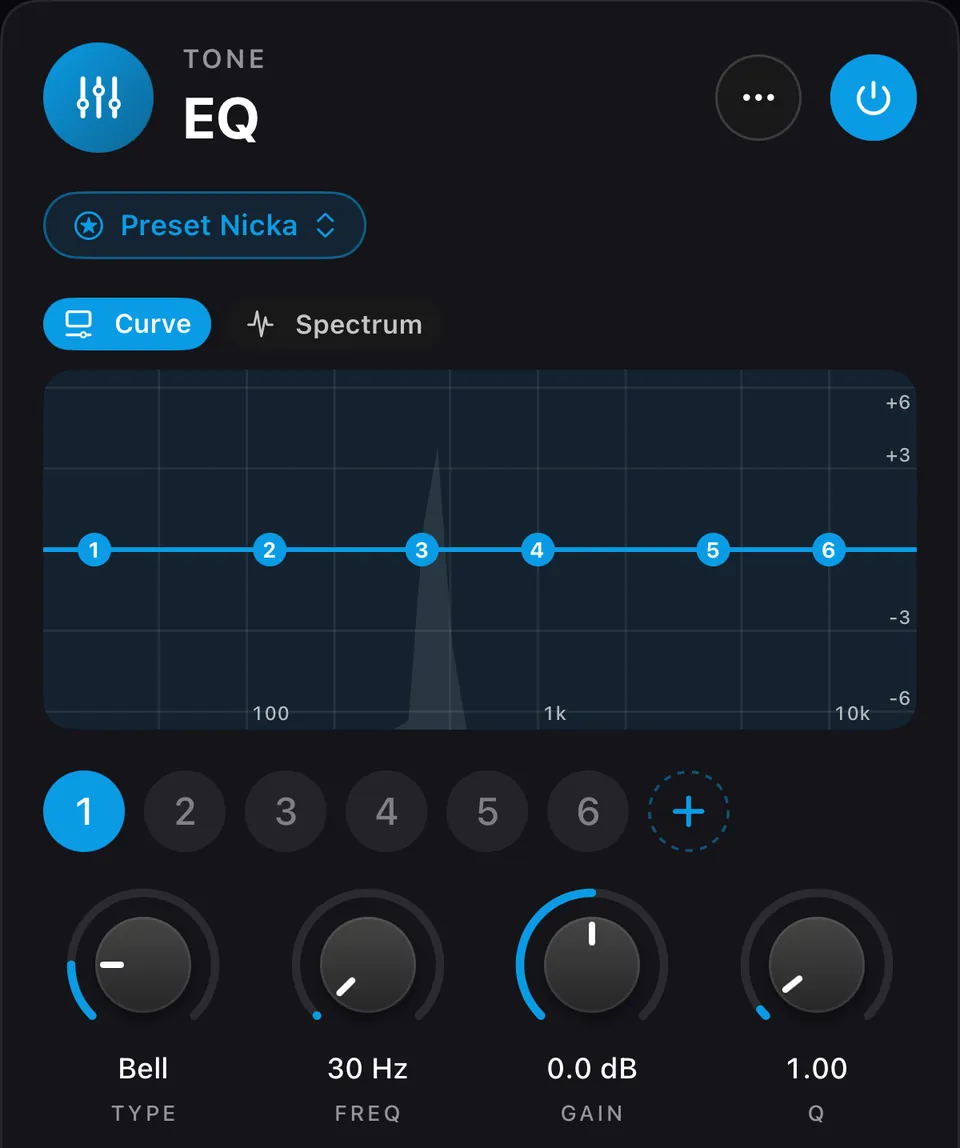
The knobs
| Knob | Range | What it does |
|---|---|---|
| Type | Off · Bell · Low Shelf · Low Cut · High Shelf · High Cut · Notch | The band’s shape. |
| Freq | 10 Hz – 22 kHz | Where the band works. |
| Gain | −30 to +30 dB | How much a bell or shelf boosts or cuts. |
| Q | 0.025 – 40 | How wide a bell or notch is: low Q is broad, high Q is narrow. |
| Slope | 6 – 96 dB/oct | How steep a low or high cut is. |
| Channel | Stereo · Mid · Side · Left · Right | Which part of the stereo image the band touches. Mid is the centre (voice, kick, bass); Side is the width. |
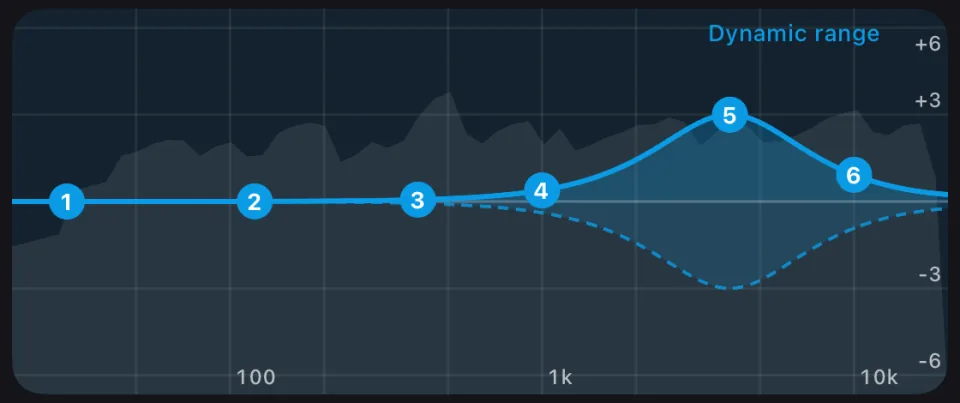
| Dynamic | Off / On | Bell and shelf bands only: the band moves only when that part of the sound gets loud. |
| Range | −30 to +30 dB | With Dynamic on: how far the band may move from its Gain. |
| Threshold | −90 to 0 dB | With Dynamic on: the level at which it starts to move. |
| Gain Scale | 0 – 200 % | Scales every band’s gain at once: 50 % halves all boosts and cuts, 0 % makes the EQ flat. |
| Output | −12 to +12 dB | Level after the EQ. |
The graphs
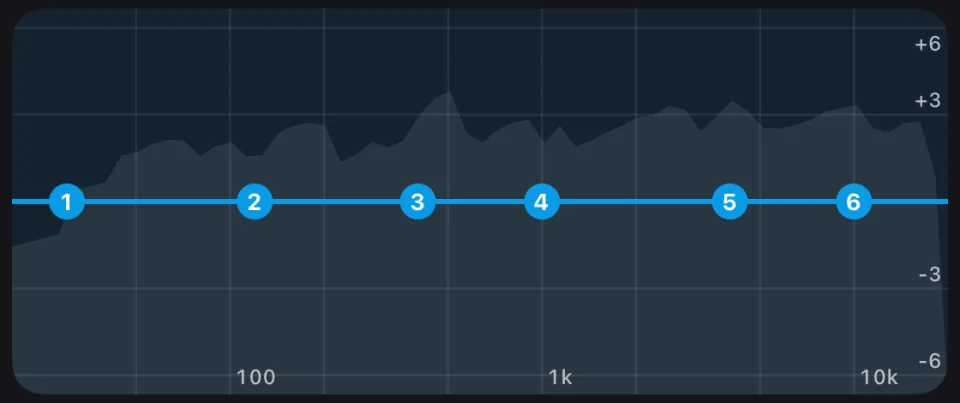
- Curve: the EQ’s real frequency response, measured through the plugin. The bands are numbered dots on it, and a dynamic band shows the shaded range it can move.
- Spectrum: how the EQ changes your track’s spectrum.
02 · Dynamics
Clios Bind: mid/side glue compressor
What it does. A gentle compressor that holds the mix together without flattening it. It works on the centre and the sides separately (M/S), and it has a hard limit on how much it may reduce, to help preserve the track’s dynamics.
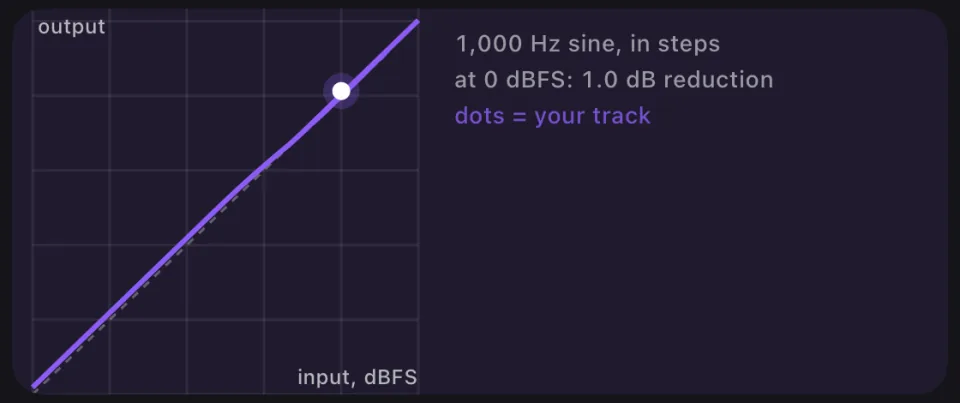
Preset Nicka: Threshold −17.4 dB, Ratio 2:1, Attack 30 ms, Release 150 ms, Link M/S 70 %, GR Limit 1 dB, Gain Match on, Mix 100 %, M/S.
Master with AI: about 1 dB of gain reduction, ratio 1.5–3, attack 10–50 ms, release 100–300 ms. It uses M/S unless the mix is narrow or nearly mono.
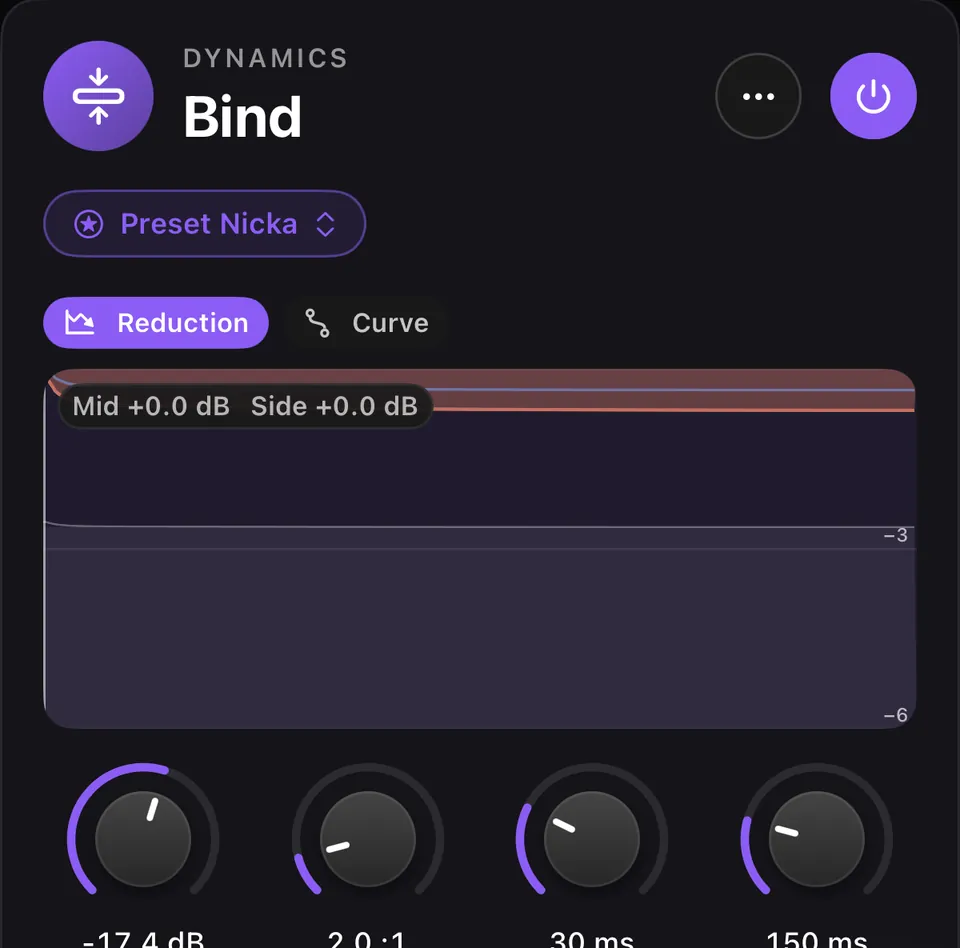
The knobs
| Knob | Range | What it does |
|---|---|---|
| Threshold | −40 to 0 dB | The level where compression starts. |
| Ratio | 1:1 – 10:1 | How firmly it compresses above the threshold. |
| Attack | 5 – 100 ms | How fast it reacts. |
| Release | 50 – 500 ms | How fast it lets go. |
| Link M/S | 0 – 100 % | How much the centre and the sides react together. |
| GR Limit | 0.5 – 6 dB | The most it is allowed to reduce, whatever happens. |
| Gain Match | Off / On | Brings the level back to the input’s, so you hear the glue, not just a change in volume. |
| Makeup | −6 to +6 dB | Extra level after compression. |
| Mix | 0 – 100 % | Blends in the uncompressed track (parallel compression). |
| Mode | L/R · M/S | Compress left/right, or centre/sides. |
The graphs
- Reduction: the gain reduction over time.
- Curve: the static curve, input level against output level, measured with a 1 kHz sine raised in steps. The dots are your track’s own levels.
03 · Space
Clios Width: multiband stereo imager
What it does. Sets the stereo width separately in four frequency regions, so the deep bass can stay solid in the centre while the top opens up a little.
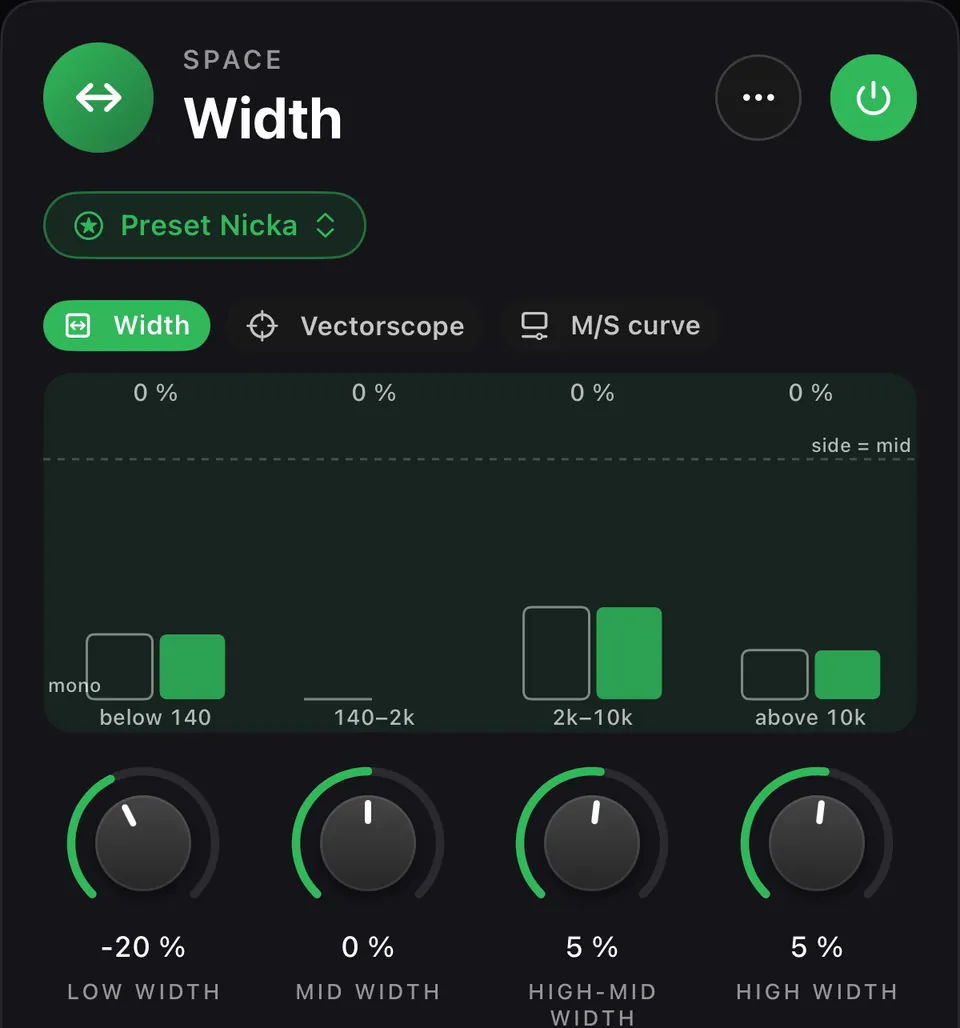
Preset Nicka: Low −20 %, Mid 0 %, High-Mid +5 %, High +5 %; crossovers at 140 Hz, 2 kHz and 10 kHz; side high-pass off.
Master with AI: never widens the lows (−60 to 0 %) and keeps the mids near 0. It opens the high-mids and highs by at most +10 %, and only when the mix is safely stereo. It adds a side high-pass (60–150 Hz) only when the lows are too wide.
The knobs
| Knob | Range | What it does |
|---|---|---|
| Low Width · Mid Width · High-Mid Width · High Width | −100 to +100 % | The width of each region: 0 % leaves it alone, below 0 narrows it (−100 % is mono), above 0 widens it. |
| Crossover 1 | 40 – 500 Hz | Where the lows end. |
| Crossover 2 | 500 – 6000 Hz | Where the mids end. |
| Crossover 3 | 4 – 18 kHz | Where the high-mids end. |
| Side HP Slope | Off · 6 · 12 dB/oct | Removes the stereo part below a frequency, so everything under it is mono. |
| Side HP Freq | 20 – 300 Hz | Where that high-pass sits. |
The graphs
- Width: the width of each region in your track.
- Vectorscope: the stereo image as dots.
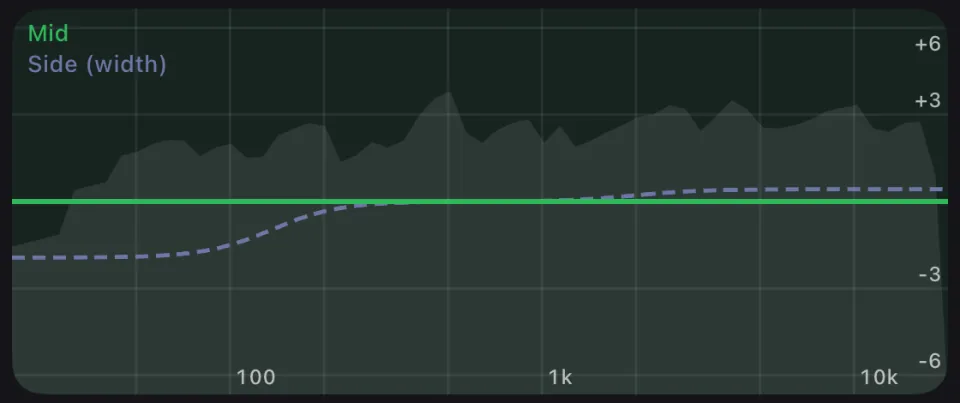
- M/S curve: the Mid and Side frequency curves, measured through the plugin.
04 · Dynamics
Clios Loud: mastering maximizer
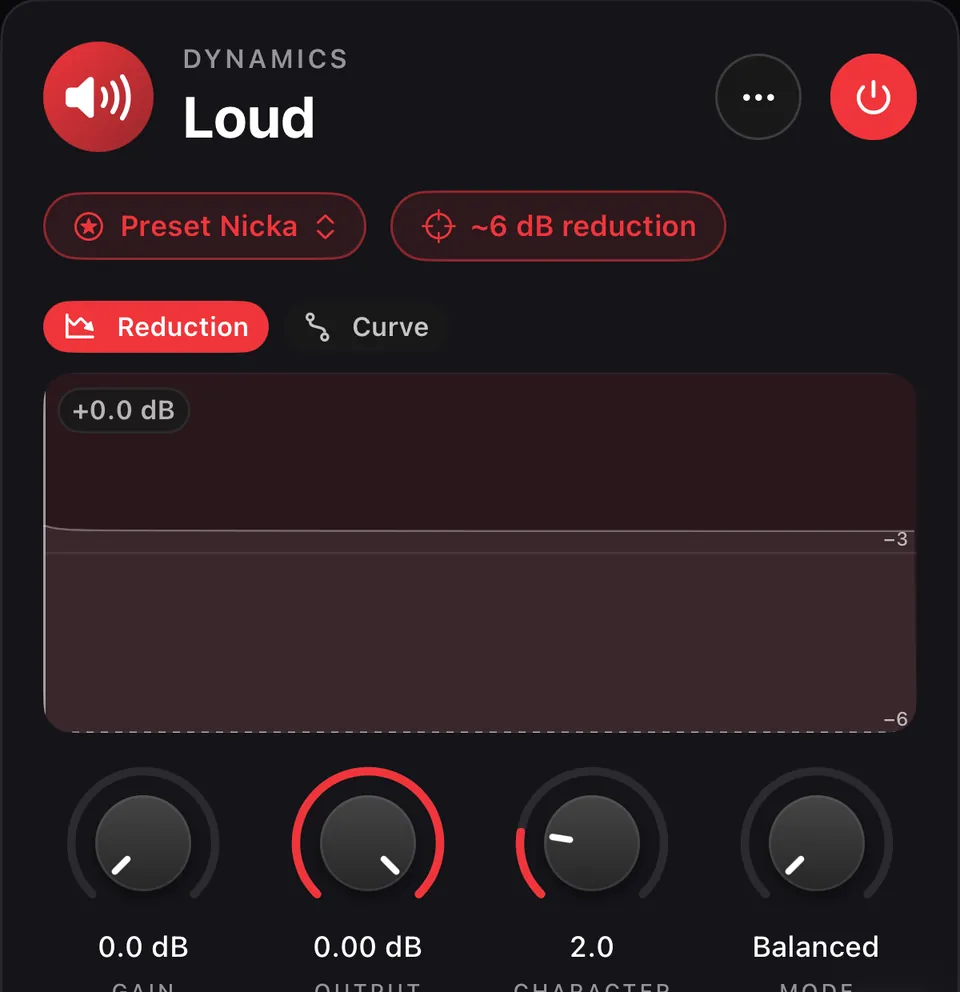
What it does. The main loudness stage. It raises the track into a limiter that never lets it pass 0 dBFS, so the master gets loud while the peaks stay under control. The ~6 dB reduction button sets Gain so it reduces about 6 dB on the loudest part of your track.
Master with AI: chooses Character and Mode. The app then sets Gain for about 6 dB of reduction on the loudest part (7 dB at most).
This is the stage that makes a song louder: the gain goes up, and the limiter inside keeps the peaks under 0 dBFS.
The knobs
| Knob | Range | What it does |
|---|---|---|
| Gain | 0 – 20 dB | How hard the track is pushed in: more gain, louder master, more reduction. |
| Output | −20 to 0 dB | The level after the limiter. |
| Character | 0 – 10 | Toward 0, faster and louder; toward 10, slower and more glued. |
| Mode | Balanced · Clipping | Balanced for most music; Clipping for dense, loud genres. |
The graphs
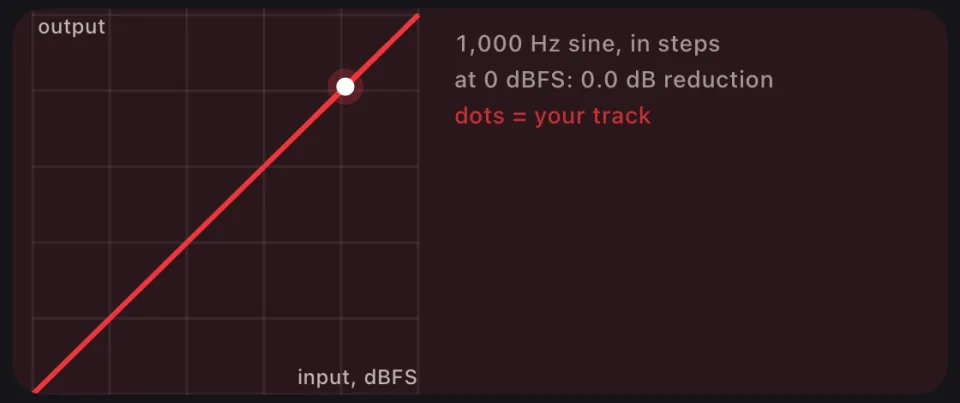
- Reduction: the reduction over time, with marks at 6 and 7 dB.
- Curve: the static curve.
05 · Dynamics
Clios Limit: true-peak limiter
What it does. The last stage. It catches the peaks that appear between samples (true peaks), to help reduce clipping risk when the master is converted to AAC, MP3 or a streaming format. It sets the final ceiling of your file.
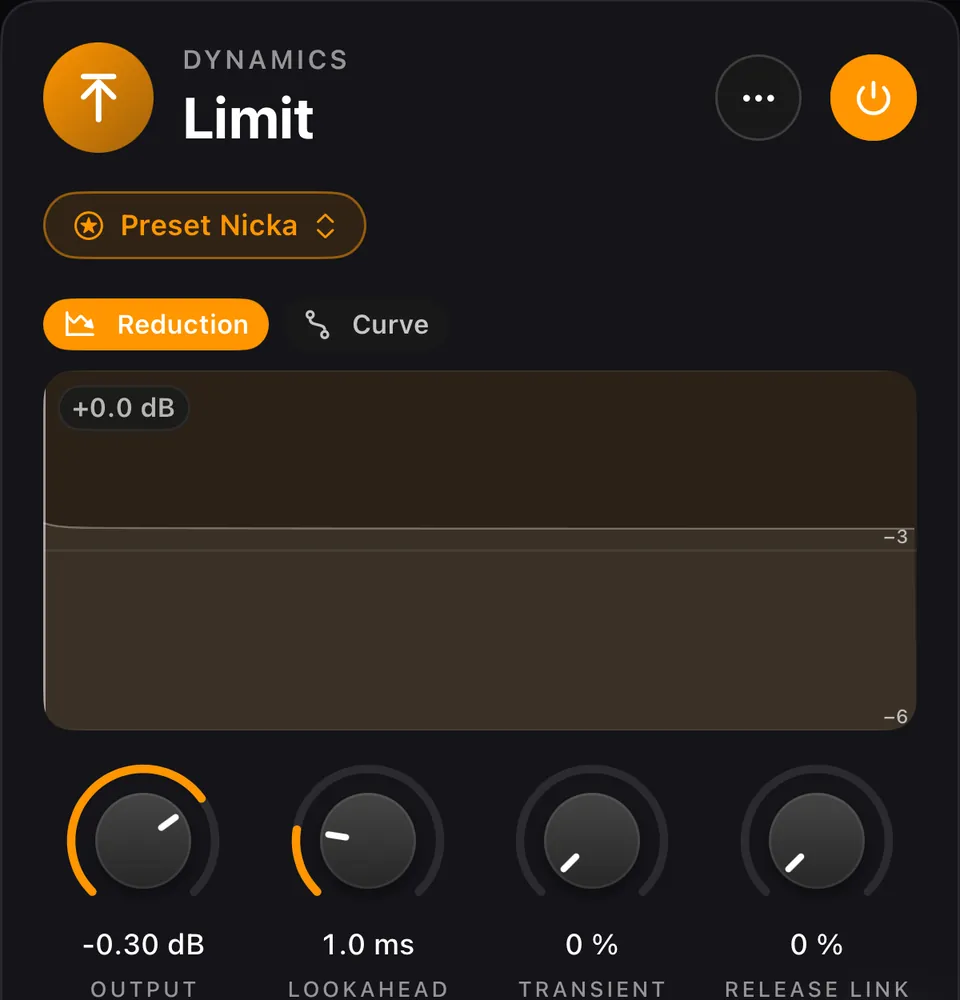
Preset Nicka and Master with AI: a −0.3 dBTP ceiling and 1 ms lookahead, with left and right limited independently.
The knobs
| Knob | Range | What it does |
|---|---|---|
| Output | −1 to 0 dB | The ceiling no peak may pass. |
| Lookahead | 0 – 5 ms | How early it sees a peak approaching. |
| Transient Link | 0 – 100 % | How much left and right are limited together on fast peaks. |
| Release Link | 0 – 100 % | How much left and right recover together. |
The graphs
- Reduction: the reduction over time.
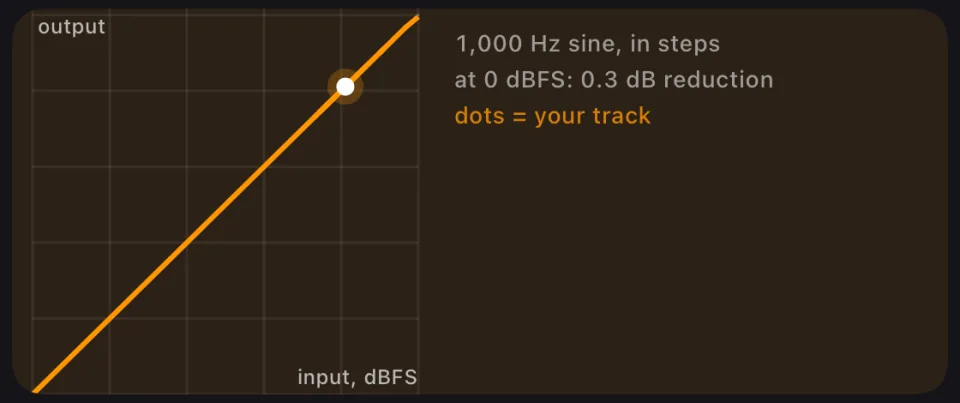
- Curve: the static curve.
Screens from Prompt Maschine 1.5 on iPhone; the Android layout may differ.
After the chain
Clios Meter: LUFS, true peak and loudness range
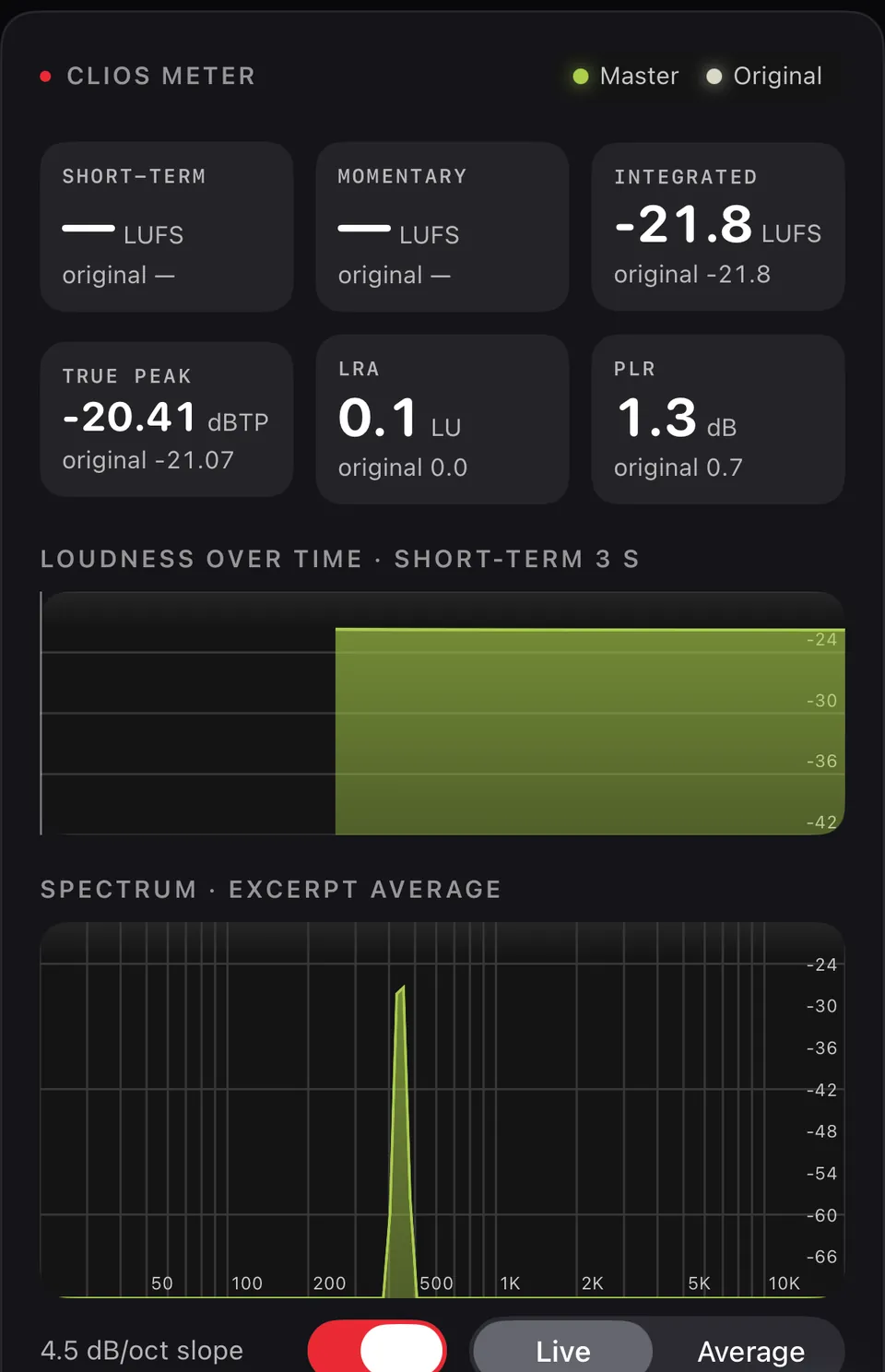
Short-term, momentary and integrated loudness (LUFS), true peak, loudness range and PLR, for the master and the original side by side, plus loudness over time, the spectrum and the correlation meter.
See the meter and the A/B switch on the AI mastering app page.
Mastering glossary
Six words you will meet on the plugin cards and the Clios Meter.
- LUFS
- Loudness Units relative to Full Scale: a loudness measure that follows how the ear hears, used for the short-term, momentary and integrated readings of the Clios Meter.
- True peak / dBTP
- The real highest point of the audio wave, including the peaks that appear between samples when a file is converted or played; dBTP is that level in decibels, and Clios Limit keeps it under its ceiling.
- Mid/Side
- A way to split stereo into Mid, what both speakers share (usually voice, kick and bass), and Side, the difference between them, which is the width.
- Crossover
- The frequency where one band ends and the next begins, like the three crossovers that divide Clios Width into four regions.
- Gain reduction
- How many decibels a compressor or limiter turns the level down at a given moment; the Reduction graphs show it over time.
- Headroom
- The space left between the loudest peak and the ceiling; the AAC export keeps about 1 dB more of it than the WAV, to reduce the risk of clipping during playback.
Mastering plugins FAQ
What does a true-peak limiter do?
It catches the peaks that appear between samples (true peaks) and keeps every peak under a ceiling, to help reduce clipping risk when the master is converted to AAC, MP3 or a streaming format. In Prompt Maschine, Clios Limit is that last stage: a −0.3 dBTP ceiling with Preset Nicka and when Master with AI sets it.
What is mid/side compression?
It compresses the centre of the mix (Mid: voice, kick, bass) and the stereo sides (Side) separately. Clios Bind works this way, and Link M/S sets how much the two react together. Master with AI uses M/S unless the mix is narrow or nearly mono.
What is LUFS?
LUFS (Loudness Units relative to Full Scale) measures loudness the way the ear hears it, not just the height of the peaks. The Clios Meter shows short-term, momentary and integrated LUFS for the master and the original side by side.
What does a stereo imager do?
It changes how wide the stereo image sounds. Clios Width sets the width separately in four frequency regions, so the deep bass can stay solid in the centre while the top opens up a little.
What is a mastering chain?
The plugins a track passes through, in order. In Prompt Maschine it is always EQ → Bind → Width → Loud → Limit: tone first, then glue, width, loudness and the final true-peak ceiling.
Master your own track.
Open a finished song in Prompt Maschine 1.5, tap Master with AI, and turn any knob on this page yourself. On iPhone, iPad, Mac and Android. 1 free Master with AI a day. Plugins and exports are free on both plans.