THE STUDIO IN 1.4 · 01
Quick Song
iPhone · iPad · Mac · AndroidOne sentence. A complete song draft.
Describe your song in one sentence and get a style prompt, exclusions and full A/B lyric drafts in the language of your idea, shaped by your Vocal Persona. Save both versions or retry only the missing stage. Instrumental ideas skip lyrics.
THE STUDIO IN 1.4 · 02
Vocal Personas
iPhone · iPad · Mac · AndroidA voice direction for every song.
Build a singer profile with age, origin, training, timbre and stage attitude. The selected persona is captured per song. Add a persona photo directly from Files on iPhone, iPad or Mac. Personas guide the text you export to your music tool; Prompt Maschine does not generate a vocal recording.
THE STUDIO IN 1.4 · 03
Suno v5 & v6 ready
iPhone · iPad · MacFit the field. Keep the full idea.
The Suno Style guard compiles your Style to fit the 1,000-character field, with a preview and the full master kept intact. Performance markup supports backing vocals, held notes and ad-libs. Each song includes guidance for Suno v6 settings: Variety, Vocal Gender, Duration and Max Mode. You apply those settings in Suno.
THE STUDIO IN 1.4 · 04
Fix common Suno issues
iPhone · iPad · MacRefine the direction in one tap.
Use “Fix common Suno issues” for changing singers, missing intros, generic results and more. “Make it unique” suggests concrete arrangement ideas that respect your genre; tap again for another idea. In 1.4, “Sounds too generic” preserves the genre’s groove.
THE STUDIO IN 1.4 · 05
15 Exclusion Controls
iPhone · iPad · Mac · AndroidSay what should stay out.
Use the 15 core exclusion controls to block humming, choir, drums, autotune, reverb, distortion and more. Smart Conflict Detection spots words that clash with your exclusions and offers Auto-Fix. Keep Lyrics, Style and Exclude Styles ready for their separate Suno fields.
THE STUDIO IN 1.4 · 06
Language review on every plan
iPhone · iPad · Mac · AndroidA line-by-line second look.
Lyrics in Romanian, German, French, Italian, Portuguese, Spanish and Danish receive a line-by-line review for grammar and diacritics on every plan. Writing checks show what actually ran and what they do not check. Review the finished draft before using it.
THE STUDIO IN 1.4 · 07
A more natural lyric engine
iPhone · iPad · Mac · AndroidMeaning comes before a forced rhyme.
The lyric engine prioritizes grammar and meaning over forced rhyme. A line limit written in your idea is applied and checked; Generate Lyrics opens in the language you chose. Bilingual songs name the language of each section. If one variant is incomplete, you can keep the other.
THE STUDIO IN 1.4 · 08
Humanizer: Classic + Editorial
iPhone · iPad · Mac · AndroidKeep the writing personal.
Choose Classic or the experimental Editorial mode, with a cliché check. Use the suggestions to refine your lyric draft, then make the final writing decisions yourself.
THE STUDIO IN 1.4 · 09
Romanian folk
iPhone · iPad · Mac · AndroidRegional forms, rhythm and ensembles.
Write for doina, horă, sârbă and colindă with Romanian folk voice and rhythm guidance. Region and form controls cover Ardeal, Banat, Moldova, Oltenia, Maramureș, Bucovina, Muntenia and Dobrogea, with regional ensembles. Version 1.4 avoids pop or country defaults for these folk forms.
THE STUDIO IN 1.4 · 10
YouTube → Generate AI Prompt
iPhone · iPad · Mac · AndroidFollow the reference song.
Generate AI Prompt reads your pasted YouTube link so genre, tempo and voice follow the song. Links shared from other apps and links without https:// are supported. Use the result as an editable starting point for your own direction.
THE STUDIO IN 1.4 · 11
At home on Mac
Mac · Apple SiliconRoom for the whole workflow.
On an Apple Silicon Mac, use the wider three-column layout, larger text and pointer hover effects. Keyboard shortcuts keep the workflow moving: ⌘N for a new song, ⌘⇧C to copy the style prompt and ⌘S to save. Requires macOS 14 or later.
THE STUDIO IN 1.4 · 12
Export that is ready for Suno
iPhone · iPad · MacFrom your draft to the right fields.
Use Copy Everything, Open Suno and character-limit warnings. Start with eight v5 recipe templates and structure tags including Final Chorus and Beat Switch. Version 1.4 includes template tempo, cleaner Style punctuation and exclusion counters that match what Suno receives.
THE STUDIO IN 1.4 · 13
12 interface languages
iPhone · iPad · MacDanish joins the studio.
Use the interface in English, Danish, French, German, Italian, Japanese, Portuguese, Romanian, Russian, Simplified Chinese, Spanish or Swedish. That is English plus 11 localizations. The Apple lyric generator offers eight lyric languages plus a Bilingual option; Style Trainer has its own 10-language selection.
Apple features checked against App Store release notes and version 1.4.0 source. Android labels follow the Google Play listing for 1.4.0 (October 3, 2026); features without an Android label are still being confirmed for Android.
Next: Prompt Maschine 1.5
AI Mastering, with five Clios plugins inside the app.
Bring the track you generated in Suno back into the app, tap Master with AI, and adjust EQ, Bind, Width, Loud and Limit by hand. See the screens from the 1.5 build.
AI Prompt Generator
Suno · UdioPaste a YouTube link, describe a song, or upload audio. Set language, mood, vocals and instruments — and get back a studio-ready prompt with genre, style, instrumentation, tempo, structure, groove, era influence and production notes.
- • 12 moods — from Happy/Uplifting to Dark/Intense to Chill/Lo-fi
- • 8 lyric languages on Apple devices: English, Spanish, French, German, Italian, Portuguese, Romanian, Danish
- • 5 vocal options: Male, Female, Duet, Instrumental, Any
- • Style / artist reference field (e.g. "80s synth pop")
- • Custom instruments: piano, synth, drums — anything
- • One final, copy-ready prompt tuned for Suno
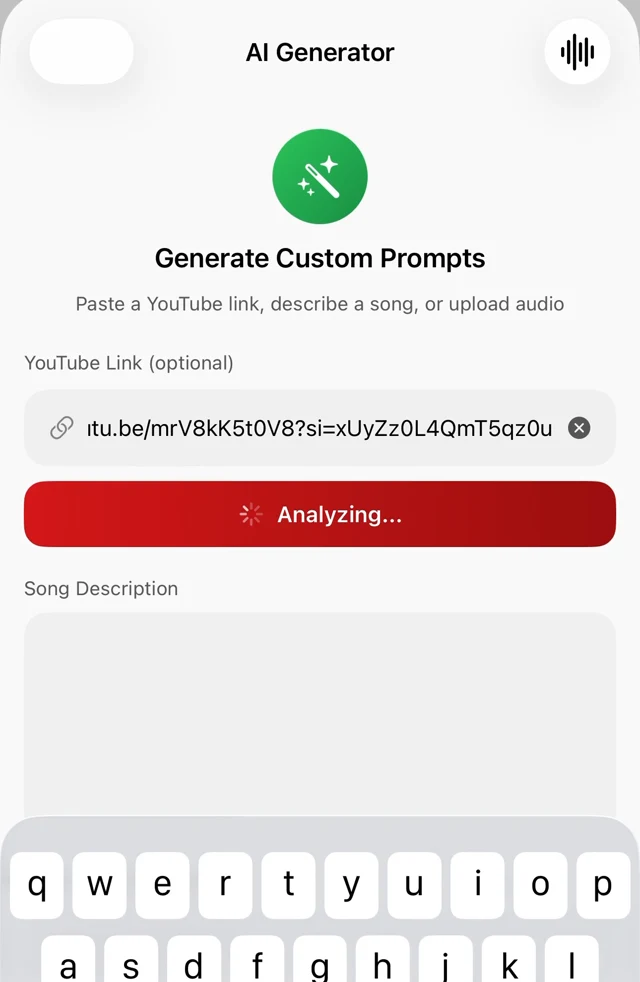
YouTube Song Analysis
YouTube reference analysisStart with a supported YouTube link, including Shorts and youtu.be links. Review the available reference analysis and shape an editable music style prompt for your own song.
- • Genre + sub-genre, mood, and BPM range
- • Era, instruments, vibe, energy and vocal type
- • Song structure — copied straight into the lyrics builder
- • Reference artists it sounds like
- • 30–60 word Suno style hint, ready to paste
- • AI analysis requires an internet connection
Audio Upload Analysis
NewNo link? Upload an audio file instead. The app listens and detects its character, then fills the whole generator form for you.
- • Detects vibe, mood and groove
- • Reads production character and dynamics
- • Estimates tempo feel and energy
- • Measures spectral brightness
- • Auto-fills description, style and mood fields
- • Great for demos, beats and voice memos
Lyrics Generator
CoreBuild the exact song structure you want, give it a theme, and get original lyrics that follow that structure section by section — in the writer style you choose.
- • flexible section types: from Intro and Pre-Chorus to Rap Verse, Drop, Build-Up and Spoken Word
- • Reorder or delete sections with one tap
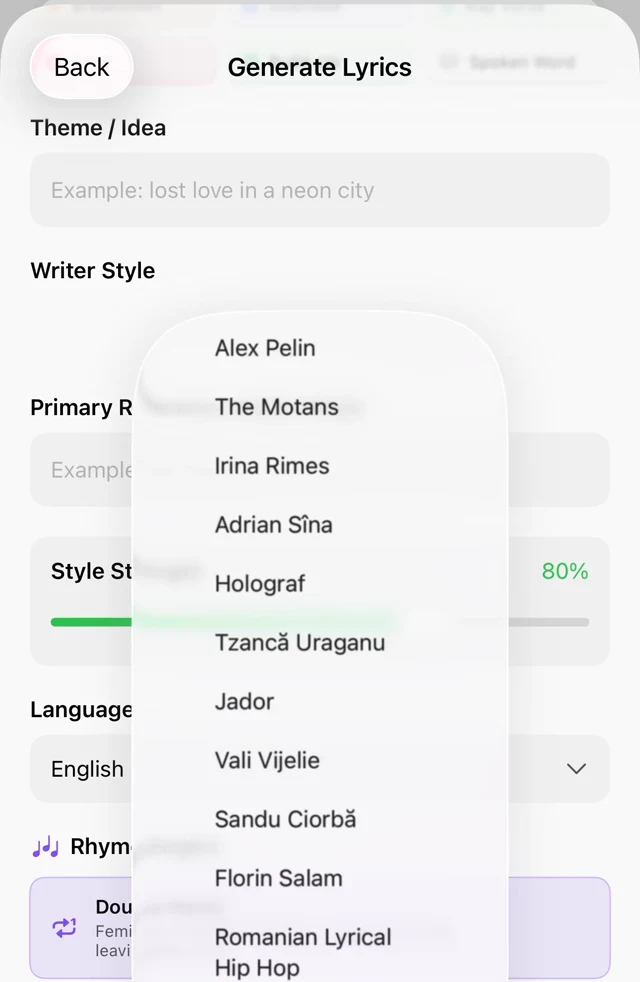
- • Writer Style profiles + Style Strength slider (30–100%)
- • Primary reference artist field
- • Import reference lyrics (.txt) or paste from clipboard
- • Multiple lyric languages; review grammar and phrasing
Rhyme Engine
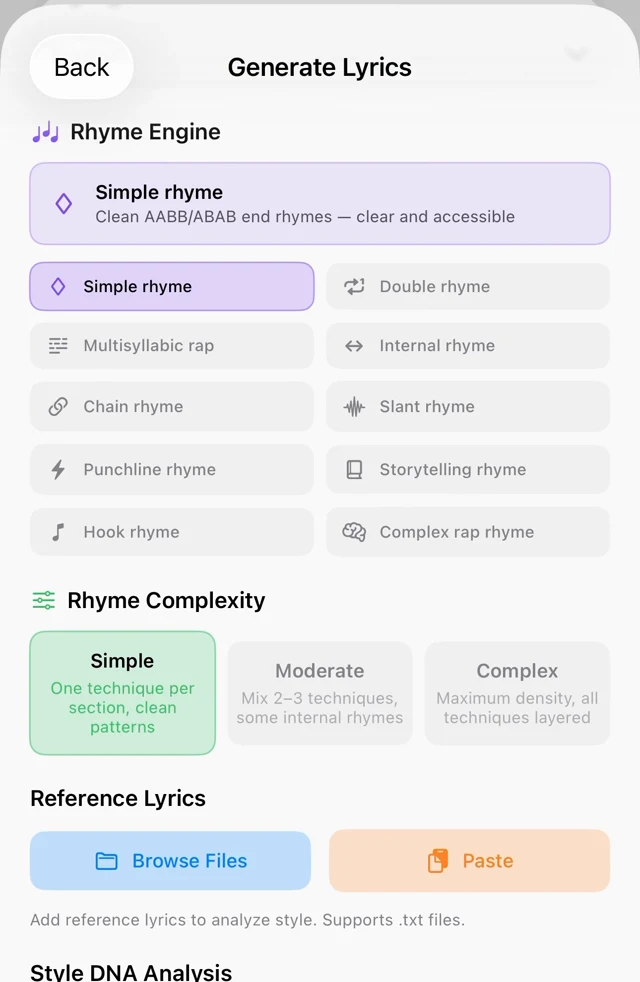
10 systems · 13 techniquesTen selectable rhyme systems, three complexity levels, and thirteen rhyme techniques under the hood. The engine even auto-picks the right system for your genre.
- • Simple, Double, Multisyllabic rap, Internal, Chain
- • Slant, Punchline, Storytelling, Hook, Complex rap
- • Complexity: Simple, Moderate, Complex
- • Auto-select by genre — hip-hop gets Complex rap, country gets Storytelling
- • Techniques incl. assonance, consonance, mosaic and compound rhymes
- • Strict singability and grammar rules in every language
Rap Flow Modes
For rap · trap · drillWhen the app detects a rap genre, five dedicated flow modes appear — each with its own syllable counts, bar rules and delivery style.
- • Classic Boom Bap — 10–12 syllables, punchline every 4 bars (Nas, Biggie)
- • Trap Flow — short punchy bars, triplets allowed (Travis, 21 Savage)
- • Double Time — 14–18 syllables, rapid-fire stacking (Eminem)
- • Slow Flow — introspective and emotional (J. Cole, Drake)
- • Melodic Rap — rapped + sung lines, emotional hooks (Post Malone, Juice WRLD)
- • 16-bar verse rule enforced on Double Time
Lyrics Style Trainer
PRO on Apple devicesPaste 4–8 lines of lyrics you love. The AI extracts a complete writer profile you can name, save, and apply to any future generation.
- • Extracts tone, themes, rhyme style and structure
- • Captures vocabulary, cadence and signature elements
- • 10 languages — including Japanese, Korean and Chinese
- • PRO: save and reuse named Style Trainer profiles
- • Pick any profile from the Writer Style menu when generating
- • Export / import profiles as JSON for backup
Style DNA Analysis
Originality-safeAttach reference lyrics and run a Style DNA scan — the app learns the fingerprint of the writing without ever copying a single line.
- • Dominant style and emotional tone
- • Hook style and imagery style
- • Line length and verse density
- • Feeds directly into the next generation
- • Multi-file .txt import supported
- • Built-in originality safeguard — never quotes your references
Rhyme Assistant
One tap from your lyricsStuck on a line? Tap "Rhymes" on any result and get categorized rhymes for any word — in the language of your song.
- • Perfect rhymes and feminine / double rhymes
- • Slant and near rhymes for a poetic feel
- • Multisyllabic rhymes for dense rap bars
- • Assonance matches
- • Ready-made internal-rhyme phrases
- • Language-aware — works in all 7 lyric languages
Two Variants, Every Time
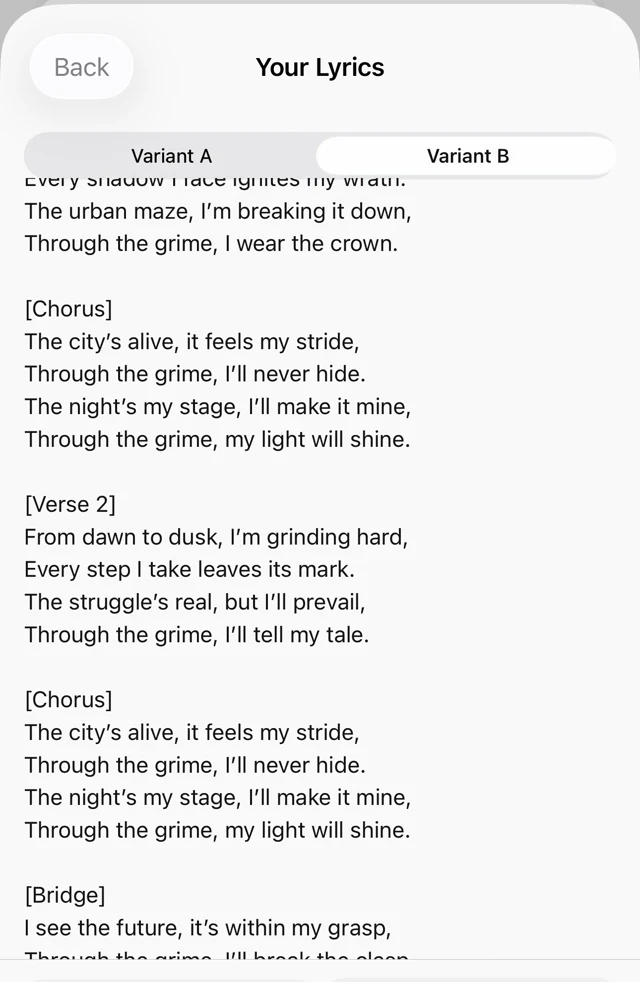
A / BEvery generation returns two complete, different takes on your song — same structure, different angle and imagery — so you always have a choice.
- • Variant A and Variant B, switchable with one tap
- • Different imagery and rhyme approach in each
- • Copy Title, Copy Lyrics, Copy AI Prompt or Copy All
- • Inline editor with monospaced lyrics view
- • Save either variant to your library
- • Jump straight into the Rhyme Assistant
Suno-Ready Output
[Section] tagsEverything the app produces is formatted the way Suno and Udio actually expect — no cleanup, no reformatting.
- • Bracketed [Verse], [Chorus], [Bridge] section tags
- • Instrumental sections output correctly — no accidental lyrics
- • Genre-matched vocal tags: rap flow, twang, patois, soulful R&B
- • Prompt enrichment adds the right Suno style tags per genre
- • Copy All exports Title + Prompt + Lyrics in one block
- • Share sheet to any app
Library, Export & Privacy
Yours foreverLyrics, prompts and style profiles live on your device. Share them, back them up, or wipe everything — you are in control.
- • Save, edit, share and delete lyrics and prompts
- • Export / import style profiles as JSON
- • Light and dark theme
- • Guest mode — try it without an account
- • All AI calls go through our secure server; no API keys on your phone
- • Delete account removes all data — one tap
Ready to ship faster?
Start with three generation operations per day. Quick Song with vocals uses two. Optional PRO adds unlimited generations and more tools; see the app for current prices and eligible offers.